
Facility Operations Without the Follow-Up Chaos
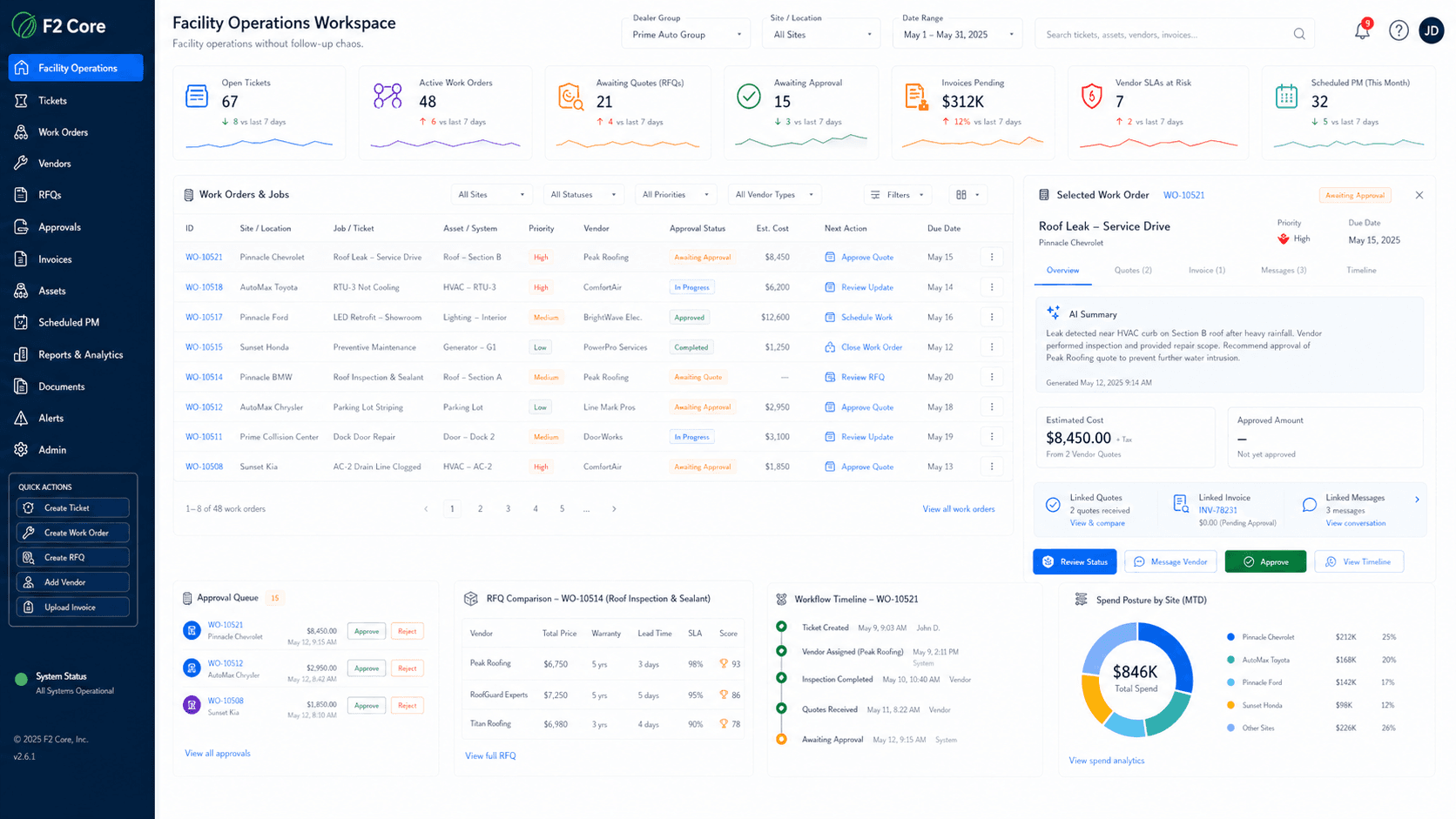
Manage tickets, work orders, vendors, RFQs, approvals, invoices, and operational timelines across dealership sites.
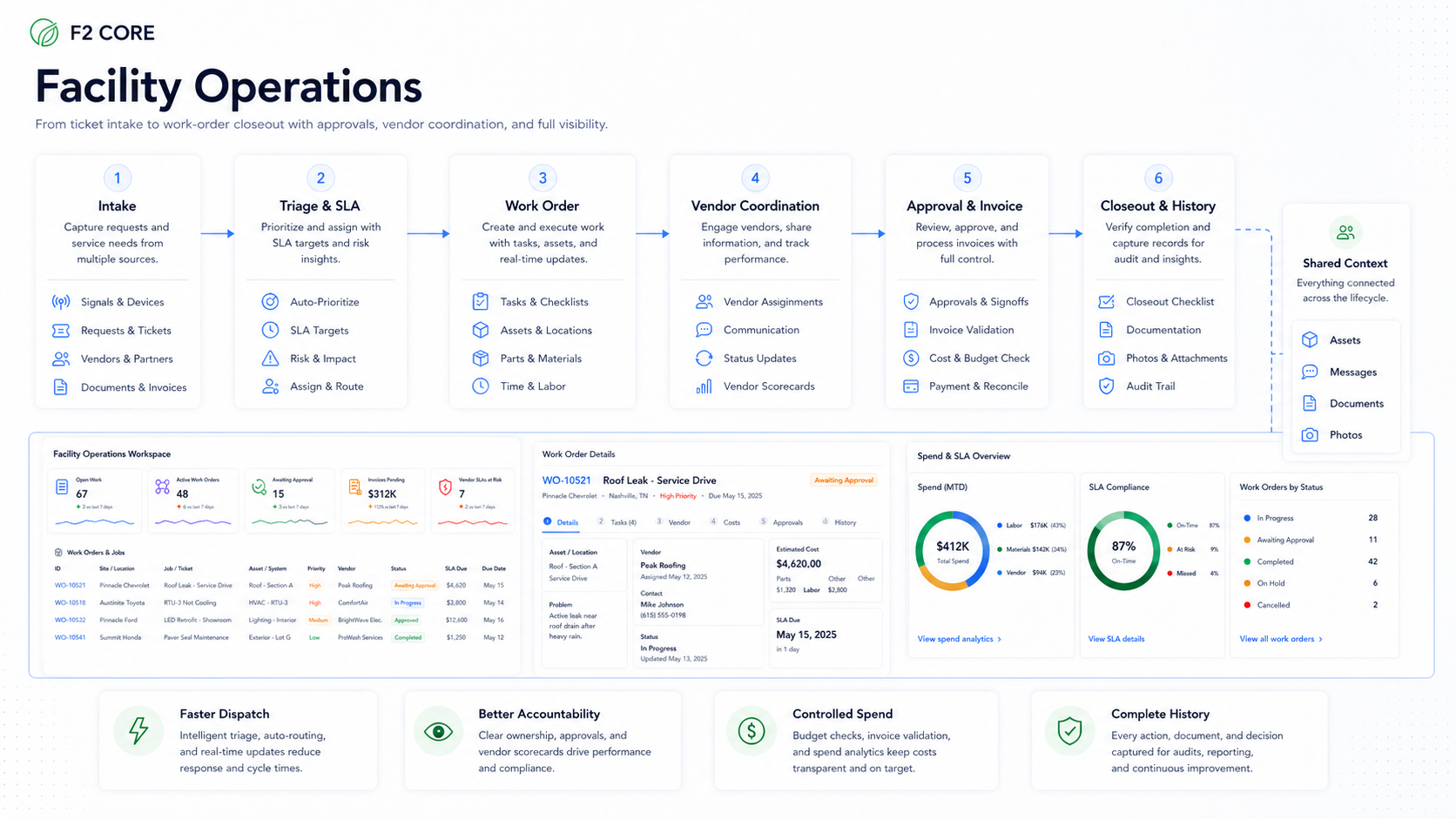
Tickets and work orders
Vendor and RFQ workflows
Approvals and invoices
Cost posture by site
Daily facility work in one place
Facility work touches service, parts, sales, finance, vendors, and leadership. F2 Core gives that work a consistent structure from request to closeout.
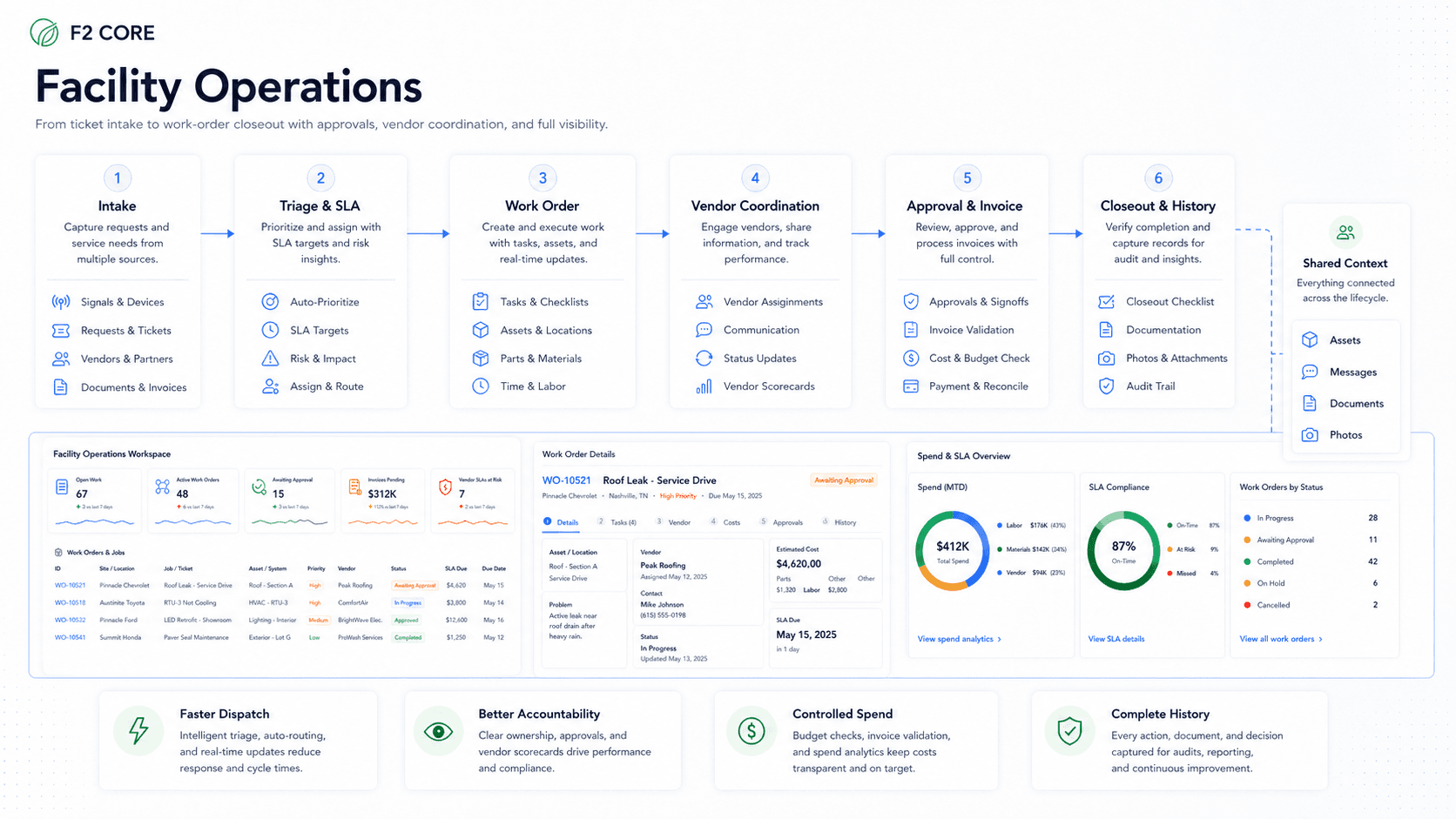
Tickets
Capture issues with site, asset, severity, and photos.
Built for dealership assets
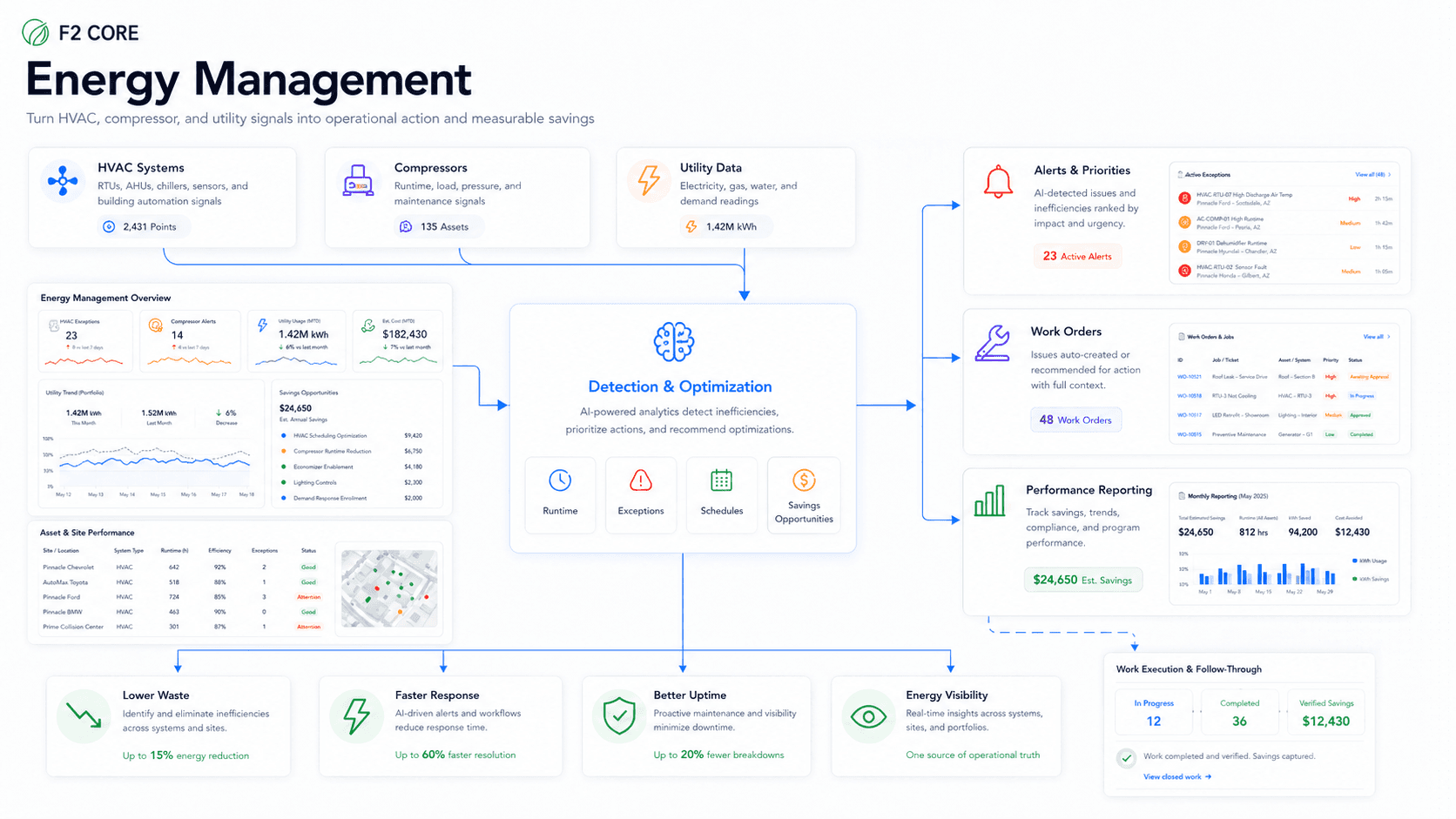
Facility Operations covers dealership-specific asset classes — shop-critical, facility, environmental, and energy assets all in one model.
Shop-critical assets
Lifts, compressors, dryers, doors — anything that affects throughput.
Facility assets
HVAC, lighting, plumbing, paint booths, parking-lot assets.
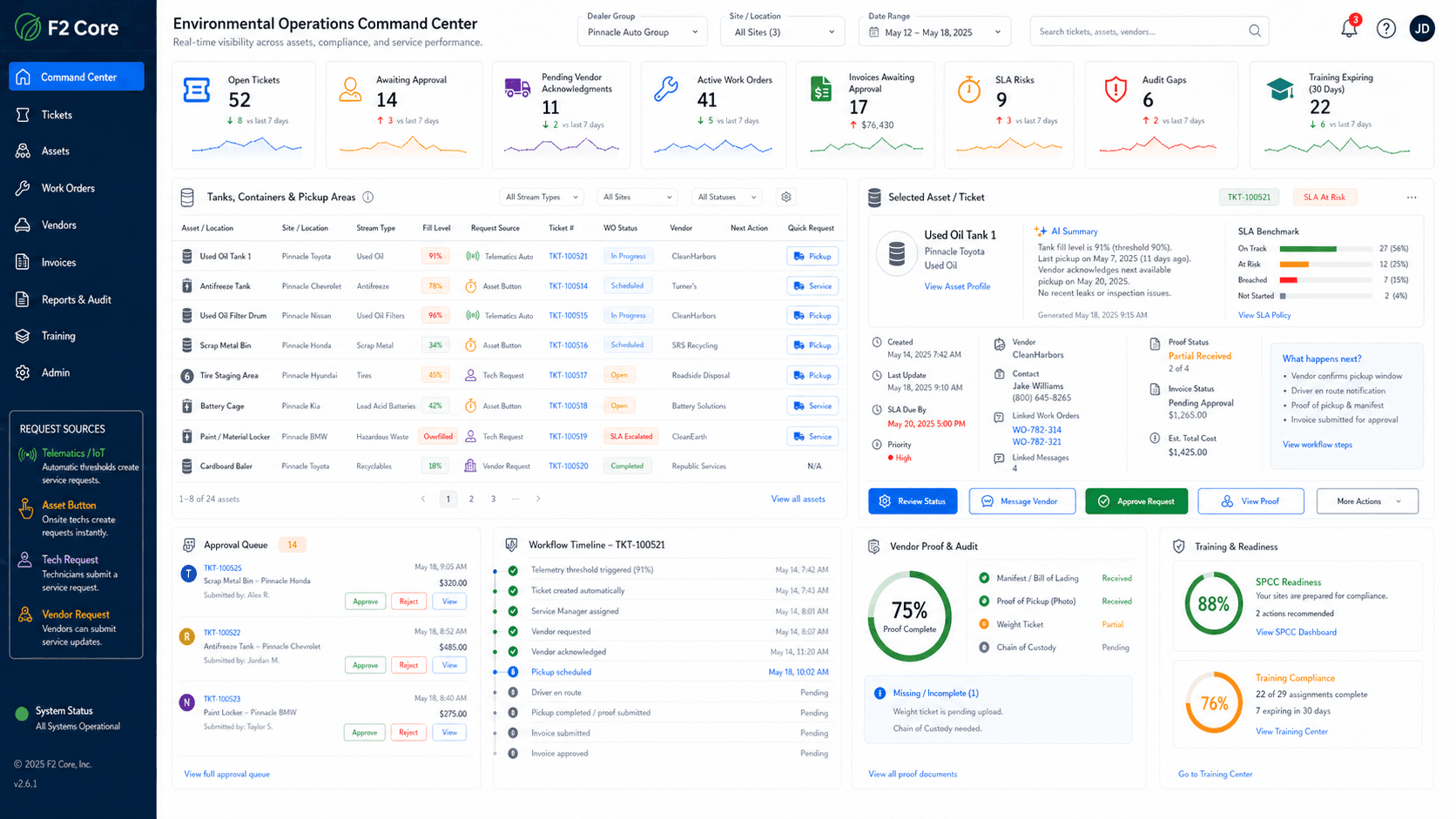
Cost posture visibility
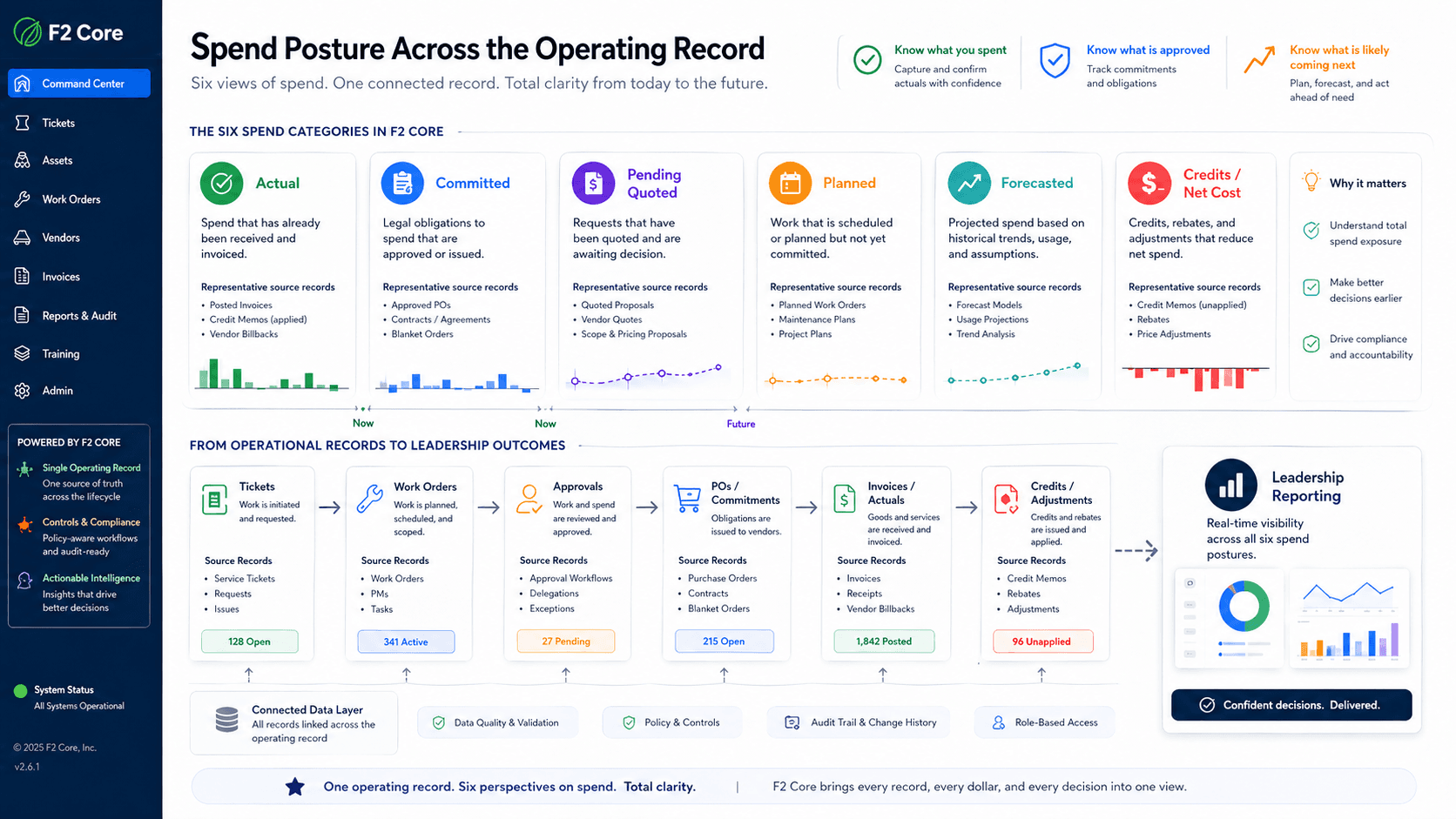
Managers see actual, pending, committed, and invoiced work so decisions are made before spend gets buried.
Spend that has already happened — invoices received and reconciled.
Approved work and POs you are obligated to pay even if not yet invoiced.
Vendor quotes received and awaiting approval.
Scheduled work and PM that will create spend in the next window.
Modeled spend based on operating patterns, not yet planned.
Vendor credits, returns, and adjustments that net against spend.
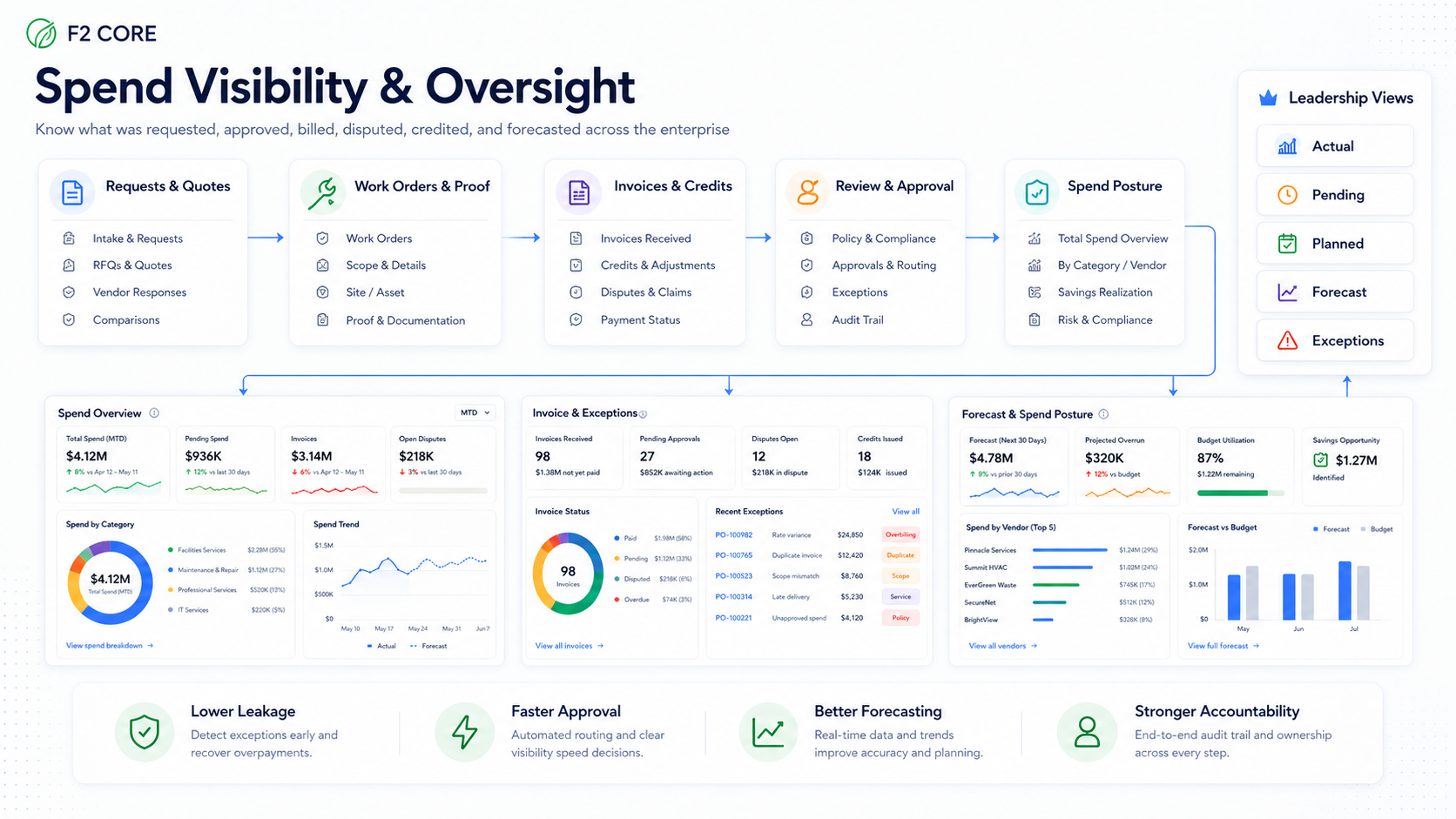
Invoices tied to work, quotes, contracts, and evidence.
SpendGuard adds the financial layer to facility operations. Match invoices to RFQs, work orders, contracts, and pickup records — surface duplicates, over-quote charges, and missing credits before payment.
Where the financial story attaches to the work
Facility Operations already owns the work. SpendGuard attaches the matching financial story so AP, finance, and operations see the same record.
Invoice-to-work-order matching
Compare invoice lines to the actual work order, scope, and completion proof.
Invoice-to-RFQ award comparison
Match invoiced quantities and rates against the RFQ award and approved quote.
Invoice-to-contract / rate-card matching
Validate invoice lines against active contract rates, surcharges, and effective dates.
Invoice exceptions before AP review
Hold and route exceptions with the operational evidence attached so AP reviews proof, not guesses.
Repair / replace and repeat-spend visibility
Identify recurring asset spend that should trigger a replace decision instead of another repair.
Ready to bring facility work into one workflow?
Walk through tickets, work orders, vendors, approvals, and invoices using a real dealer-group use case.