
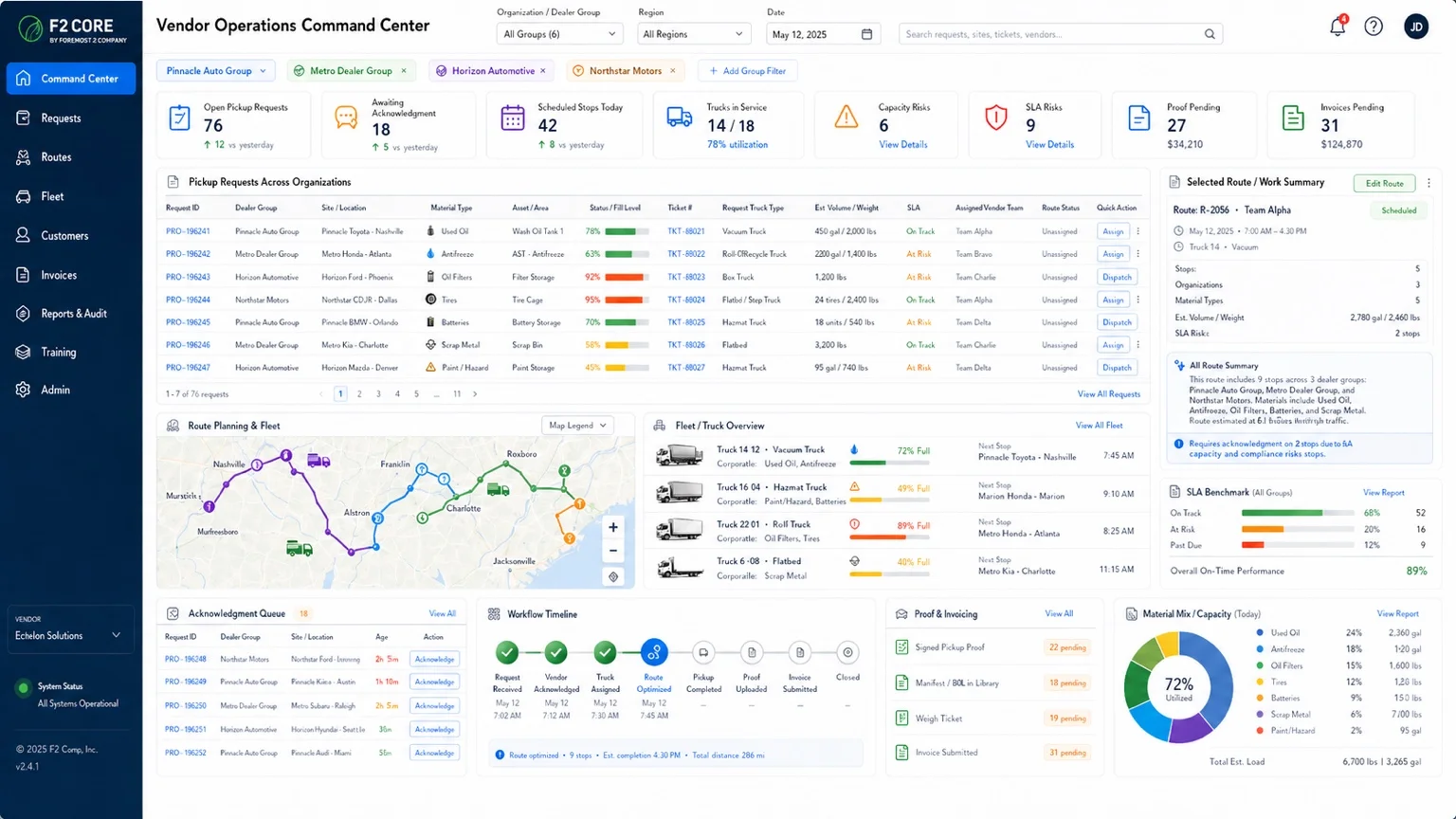
Environmental Operations Command Center for Dealer Groups
See open tickets, awaiting approvals, vendor acknowledgements, active work orders, invoices awaiting approval, SLA risks, audit gaps, and training expirations across every site in one operating record.
Site status cards
Open environmental actions
Missing evidence
Pickup and inspection calendar
Vendor acknowledgement queue
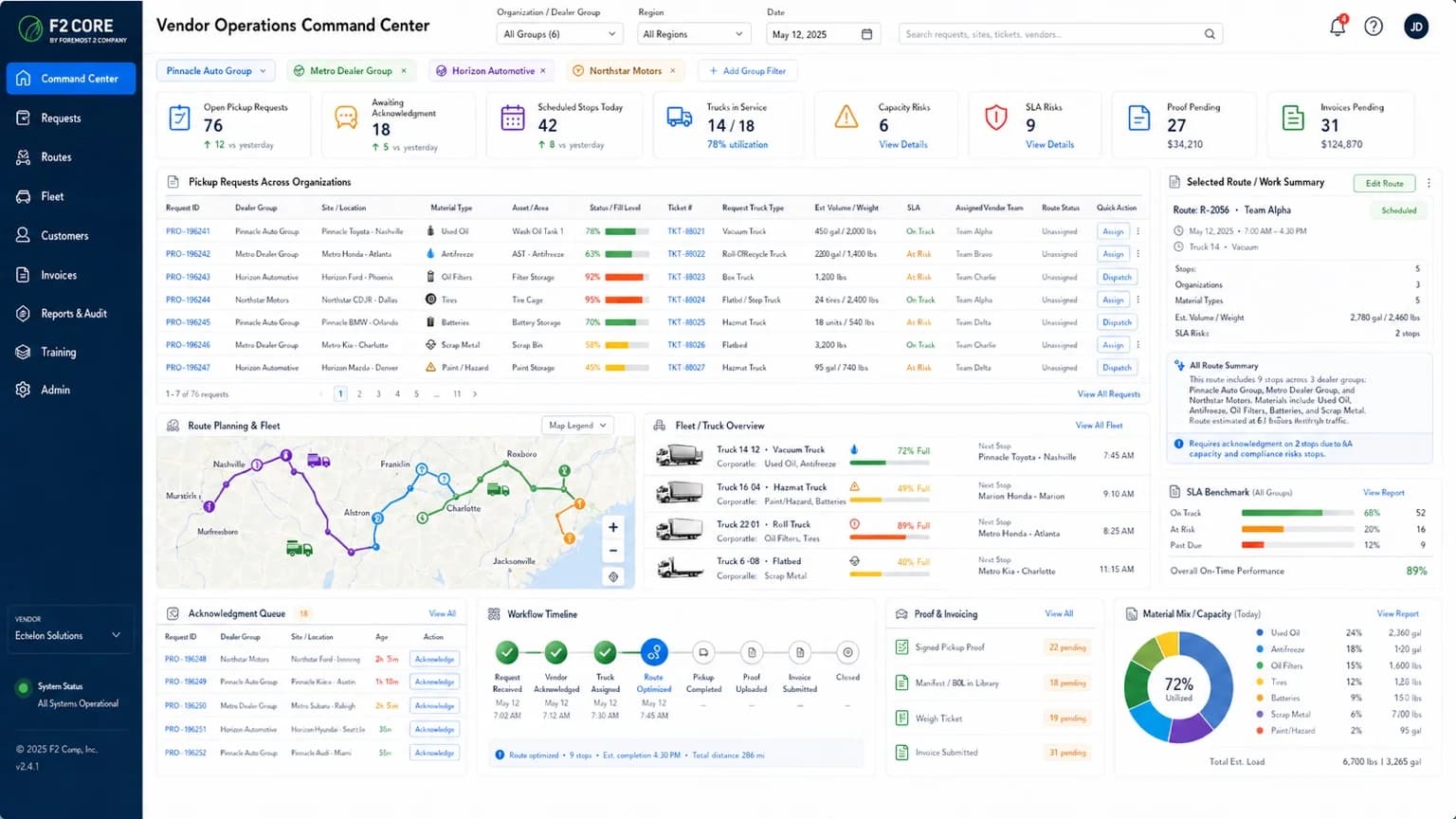
The eight KPIs the Command Center surfaces
The Command Center KPI strip mirrors the operating reality across every site in the dealer group: workload, approvals, vendor response, execution, financial backlog, risk, gaps, and training expirations. Counts and dollar exposure are tied to live records — no hard-coded mock metrics.
48
12
Tech and manual requests9
36
Execution in progress15
$58,7427
6
Across 4 sites18
12 of 13 sites compliantEvery significant event sends a notification
The Command Center is not just a view — it is wired into a notification fabric. Twenty-one event triggers route to the right people through in-app, email, and SMS (where enabled). Internal notes are kept separate from vendor-visible messages.
Ticket and request lifecycle
ticket_created, request_approval_needed, request_approved — sent to requester, Service Manager, and workflow owner.
Vendor coordination
vendor_request_sent, vendor_ack_overdue, vendor_acknowledged, service_scheduled, service_completed — through portal, email, SMS, or secure link.
Proof and financial
proof_missing, proof_uploaded, invoice_uploaded, credit_uploaded, financial_review_needed, approval_needed.
AP gate
ap_ready, ap_rejected — routed to AP user and Service Manager, with correction reason on rejection.
Manual vendor
manual_upload_required — routed to internal owner with vendor, missing docs, and SLA context.
Telemetry health
telemetry_threshold_critical, telemetry_offline — routed to Service Manager, vendor/ops, and platform admin.
Compliance and training
audit_gap, training_expiring — routed to Compliance Manager, admin, trainee, and manager.
Messaging rules
Internal notes ≠ vendor-visible messages. Manual vendor comms log channel/contact/timestamp/notes. SMS requires consent where applicable.
Reporting and analytics — what the operating record can answer
The same operating record drives twenty named reports. Each report drills into the underlying screen for action — not just observation.
Open tickets / approvals / acknowledgements
Workload by org, site, material, source, status, approver, vendor, channel.
Active work orders + proof pending
Execution workload and closeout risk — by vendor, site, status, artifact.
Financial pending + AP backlog
Invoice / credit / no-charge needed, AP closeout pending, AP rejected awaiting correction.
SLA risks + capacity risks
Operational risk by SLA type and owner; capacity risk by asset and material (for telemetry-enabled assets).
Manual vendor exceptions
Non-portal manual gaps — overdue manual upload, missing internal owner action.
Configuration completeness
Setup readiness — assets, vendors, workflows, or AP rules missing required configuration.
Telemetry health
Device health, heartbeat, calibration, communication status — where telemetry is in scope.
Vendor SLA performance
Vendor scorecard by material and site (Phase split — basic at MVP, advanced scoring at Phase 2).
Financial outcome distribution
Invoice / credit / no-charge mix by vendor, material, site, period.
SPCC + integrity reports
Containment pass/fail and integrity due/overdue by site (Phase split).
Workflow cycle time
Process improvement metric by workflow / material / vendor (Phase 2).
Material mix
Operational mix by date / site / vendor / material — for dispatch planning and vendor reporting.
Tank and container rollup
The dashboard supports filtering by site, tank type, oil category, label status, capacity, containment, vendor, and document status.
Tank inventory
Counts and details by site, oil type, capacity, and containment.
Label status
Where labels are current, stale, or missing.
Containment notes
Containment capacity and notes, with diagrams attached.
Document history
Inspection records, manifests, and vendor proof retained on the asset.
Action queues, not static reports
Dashboard cards lead directly to the item that needs work.
Click-through queues
Each card opens the underlying record for action.
Assigned owners
Owner and due date visible at a glance.
Due dates
Aging surfaced clearly so nothing slips.
Exportable summaries
CSV export, PDF summaries, and evidence packets.
Environmental compliance disclaimer
F2 Core supports environmental workflows, organization, documentation, and evidence readiness. It is not a substitute for legal advice or a qualified environmental compliance review.
Ready to bring environmental status into one view?
Walk through a multi-site environmental dashboard demo using a real dealer-group use case.