
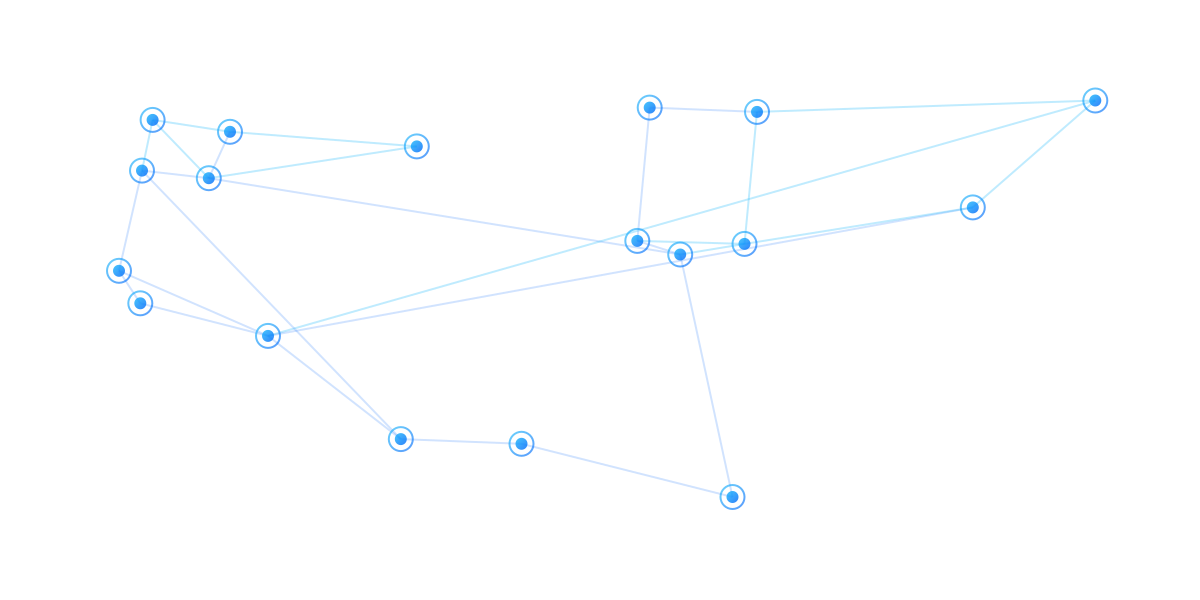
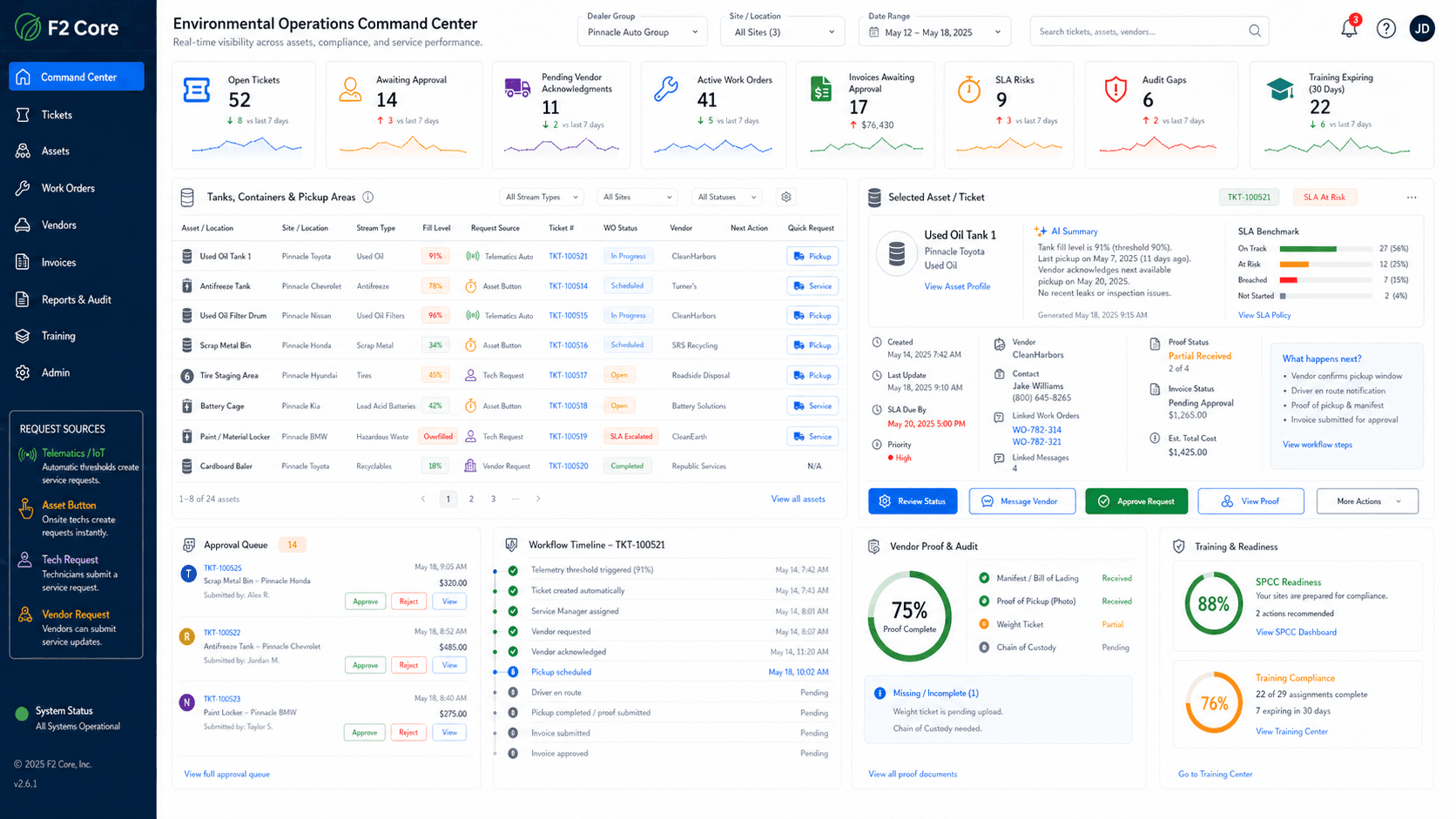
Environmental Operations — Organized From Request to Closeout
Connect request intake, asset records, vendors, proof, invoice and credit handling, AP closeout, and audit readiness into one operating view. Workflows are configurable by site, asset, vendor, material, and event.
Request intake
Asset and tank records
Vendor coordination
Proof documents
Invoice, credit, AP closeout
Audit readiness
From manual process to managed workflow
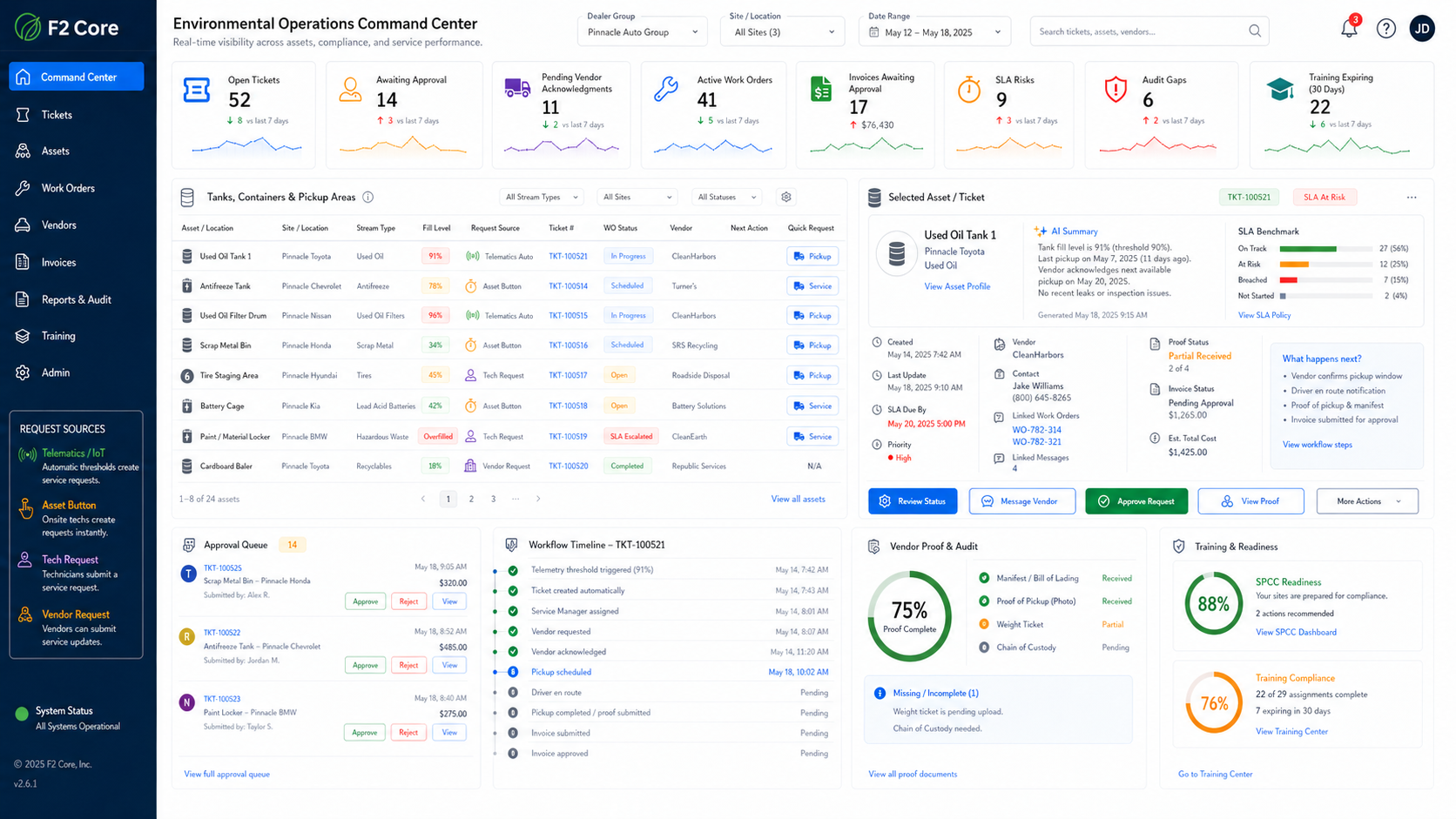
Replace disconnected calls, emails, spreadsheets, and paper manifests with one tracked environmental event record. Some steps may include manual handoffs depending on configuration — F2 Core keeps the record either way.
Workflow modes the system supports
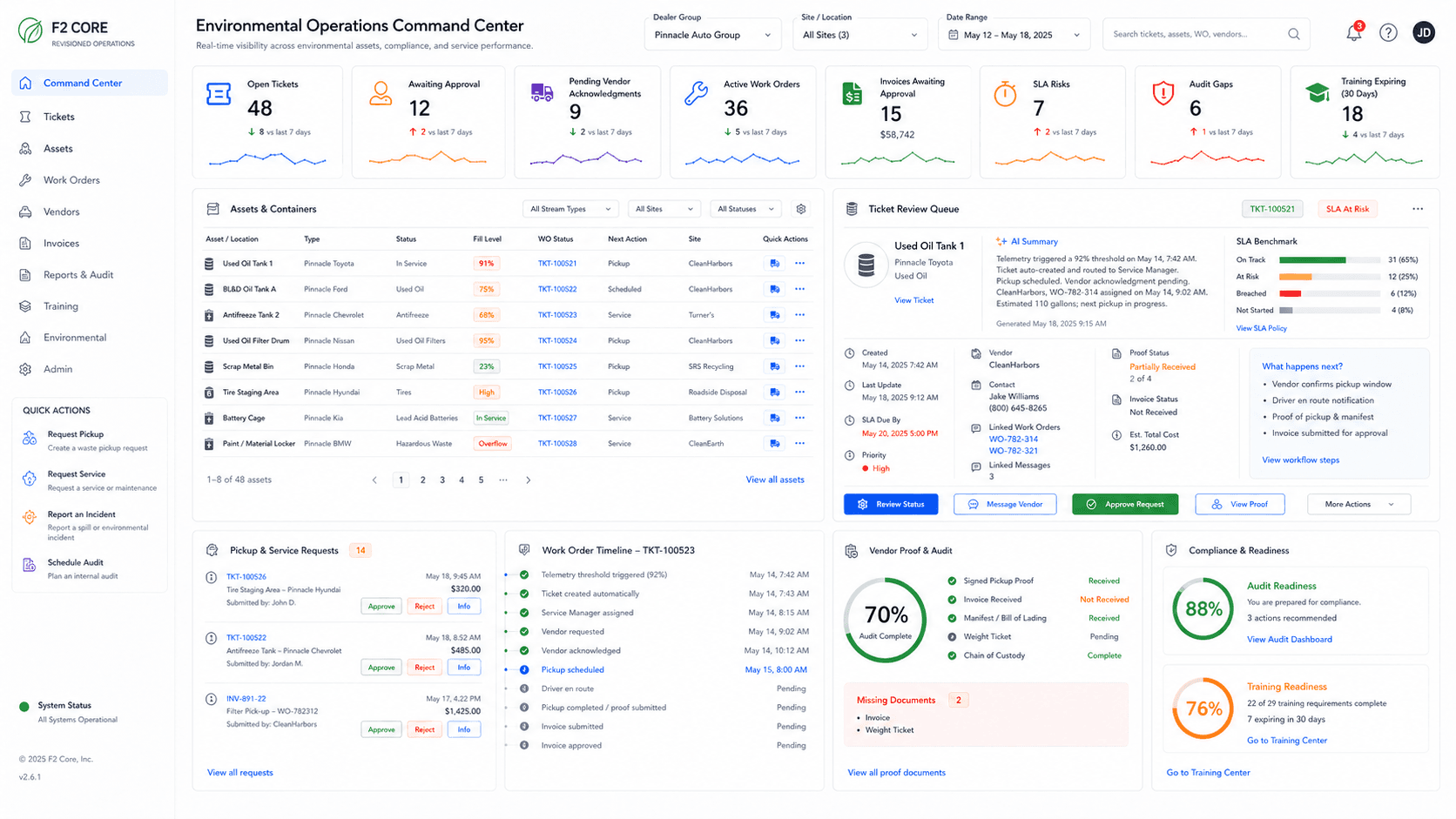
Environmental workflows can be configured by asset, vendor, material, and event. Not every asset has telemetry and not every vendor uses a portal — the same operating record supports all combinations.
Environmental work is operational work
Environmental risk shows up in daily operations: tanks are added, oil is moved, labels fade, pickups are scheduled, manifests arrive, and inspections require proof. F2 Core organizes that work so teams are not rebuilding the record when someone asks for it.
SPCC
Tank inventory, plan-ready records, state overlays, labels, and reviewer workflow.
AFMS used-oil
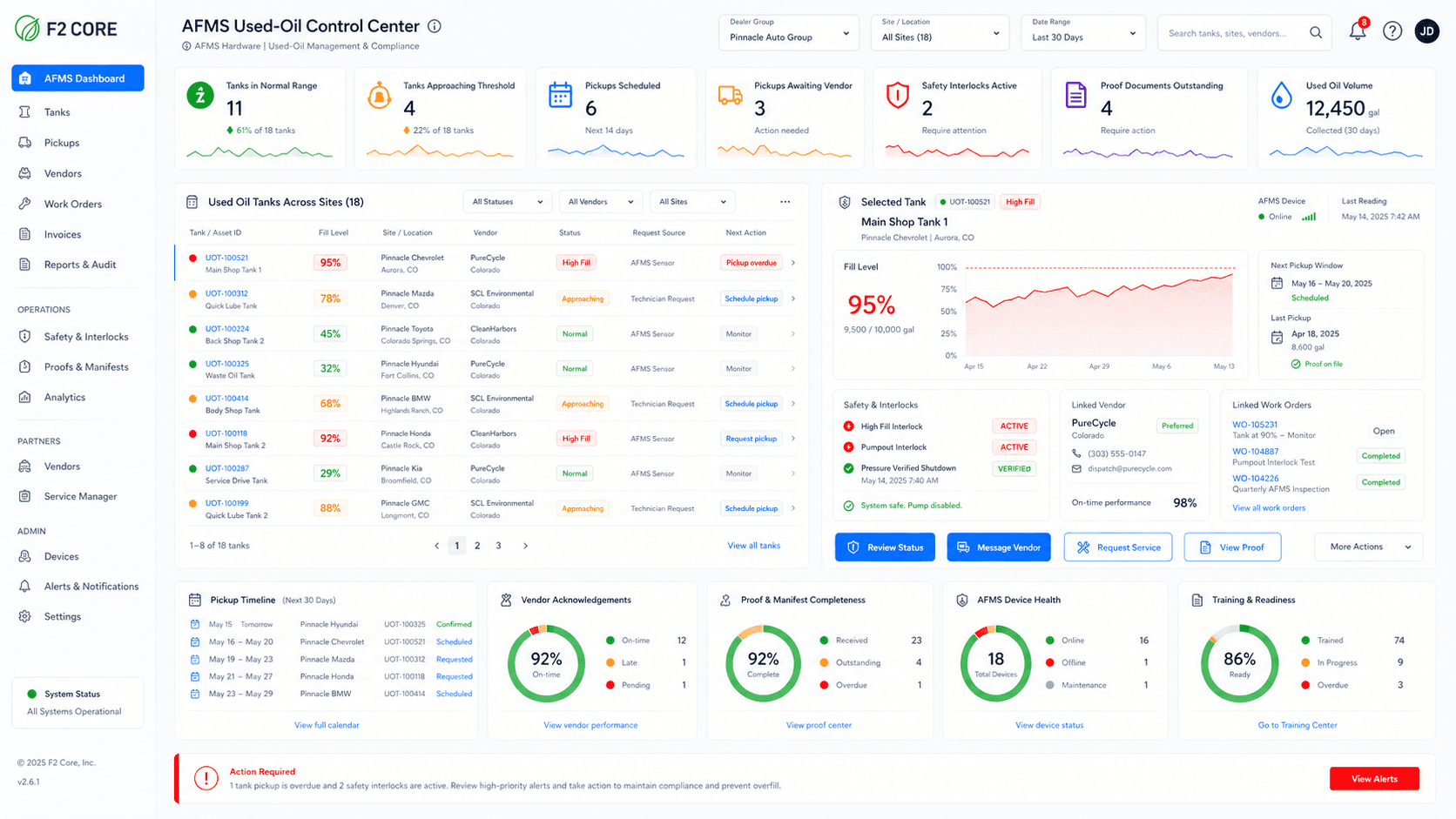
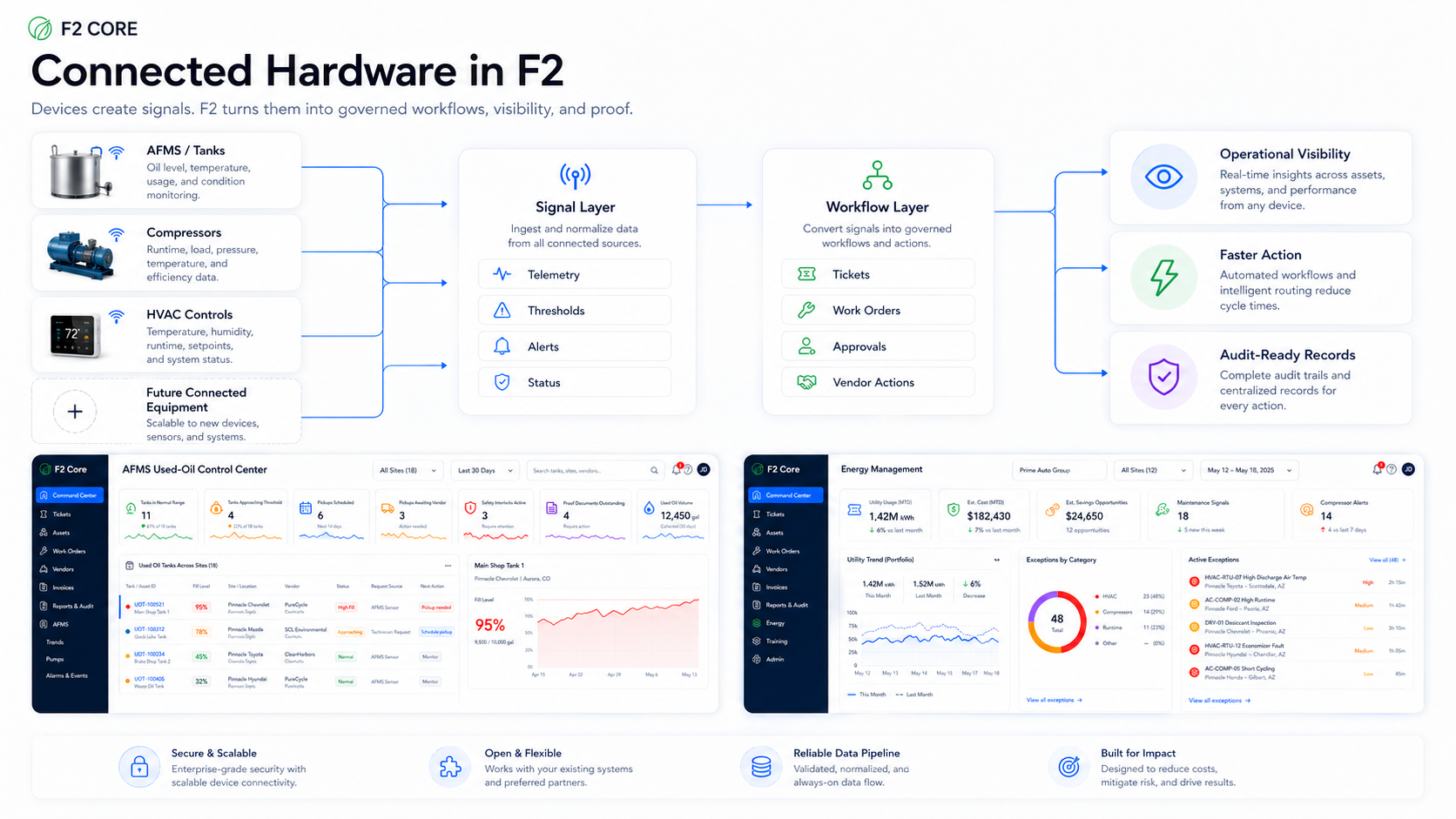
Used-oil pump control, tank visibility, vendor pickup workflow, and pressure-verified shutdown — where AFMS is installed and configured.
Waste vendor workflows
Pickup requests, schedules, manifests, charges, credits, and closeout evidence across portal, email, secure-link, and phone vendors.
Labels & QR
Tie tanks, containers, labels, and QR codes to durable asset dashboards and event history.
Audit readiness
Organize records before they are requested. See gaps; export evidence packages.
Environmental dashboard
Site, tank, vendor, document, label, and open-action visibility for dealer groups.
Environmental event workflow — request to AP closeout
Service completion is not the same as closeout. Required proof, financial review, approvals, and AP handoff need to be complete before the event closes. AP posting may be manual or integrated depending on implementation.
Signal → Action → Evidence
F2 Core brings each environmental event from signal to action to closeout-ready evidence.
What the system captures.
Request intake (operator, dispatcher, vendor portal, email, phone)
Asset and tank records, label and QR scans
Connected tank levels where AFMS or telemetry is configured
Pickup requests, schedules, manifests
How the work moves.
Approvals, vendor acknowledgement, scheduling
Service completion, proof upload
Financial review — invoice, credit, no-charge, dispute
AP handoff (manual or integrated)
What the record keeps.
Event timeline and proof package
Tank delta where AFMS or telemetry is connected and configured
Organized evidence packages (not a substitute for qualified review)
Export to inspectors, vendors, finance
From inventory to evidence
The Environmental lane shows the full path from a tank record to an organized evidence package. Every asset, label, inspection, pickup, and document is connected to the operational timeline.
Multi-step execution with rules and human oversight keeps environmental records current without forcing teams to rebuild proof at review time.
SPCC inventory
State-aware label guidance
Vendor pickup records
Documents and exports
Compliance review by qualified professionals — F2 Core organizes; it does not certify.
Partner-aware by design
Dealerships rely on waste, installation, and compliance partners. F2 Core makes partner roles clear and keeps their work connected to site records — portal, email, secure link, phone, or SMS where enabled and configured.
Authorized installers
Commissioning, configuration, and ongoing service partners.
Waste vendors (portal)
Acknowledgement, scheduling, proof, and invoicing inside the vendor portal.
Non-portal vendors
Email, secure link, phone, and SMS where enabled — the dealership team owns closeout in F2 Core.
Compliance partners
Reviewers and consultants connected to evidence without taking over the record.
Partner routing
Requests routed by site, asset, urgency, and document needs.
Reconcile pickups, manifests, invoices, and credits in one flow
SpendGuard adds the financial layer to environmental work. Tie each pickup to its manifest, vendor invoice, used-oil credit, and tank delta — where AFMS or telemetry is connected and configured — and surface missing credits, contract drift, and unauthorized surcharges before payment. Source-cited findings, evidence-backed exceptions, approval-gated actions.
Ten operating principles the system runs on
These are the non-negotiables. They are the difference between a generic ticket tool and a dealership environmental operating record.
One event creates one ticket
Manual, telemetry-triggered, recurring, vendor-created, inspection-driven, training-driven, AP-driven, or exception-driven — every event is one ticket.
The ticket owns the narrative
Users don’t open disconnected records to understand what happened. The ticket is the source of truth.
A ticket may have multiple work orders
One vendor pickup + internal corrective action + AP correction + proof discrepancy + emergency remediation — all under the same ticket.
Work order creation is rule-driven
Portal or secure-link acknowledgement may auto-create a work order; phone or email may require internal manual capture.
Technician requests require Service Manager review
Unless configuration bypasses it for that workflow.
Telemetry events follow the asset workflow rule
May auto-route, route to review, or create an emergency/internal incident — defined per asset.
Non-portal workflows require an internal manual owner
The vendor is external, but the system state is maintained by an internal user (Service Manager or Ops Advisor).
Financial outcome is per event
The material doesn’t permanently define whether the event invoices, credits, nets, or no-charges. Each event has its own outcome.
AP closeout is a gate, not an afterthought
Events can’t be fully closed until AP requirements are complete or explicitly marked no AP action required.
Published configurations are immutable
Changes create a new effective version. Future events use the new version; past events stay on their original snapshot.
The operating layer in three named tools
Three named capabilities tie configuration, daily operations, and review together. Each is a dedicated workspace with its own routes, validation, and audit footprint.
Setup Wizard
Guided 16-step setup for sites, assets, vendors, financial rules, proof rules, approvals, SLA, and AP closeout. Publishes immutable workflow versions with completeness validation.
Configuration Versioning
Workflow changes publish a new effective version. Historical events keep using the version they were created under — audit history stays reproducible.
Audit Pack Builder
Bundle SPCC inventory, labels, containment calculations, integrity schedule, inspections, training certificates, proof packages, manifests, and financial history into one exportable pack.
Hardware where it helps environmental work
AFMS adds connected used-oil control where installed. Connected sensors, labels, and QR codes layer onto the same operating record without replacing it.
From demo to operating record
Most dealerships move from demo into production environmental workflows in seven steps. Pace varies by site count, asset count, vendor mix, and existing systems.
Workflow-interest demo
Walk through the workflow modes that match your site, asset, vendor, and material mix.
Discovery
Site list, asset and tank inventory, vendor list, current document and AP touchpoints.
Workspace setup
Sites, assets, tanks, labels, vendor records, approval routing, and access roles configured.
Vendor coordination setup
Portal, email, secure link, phone, or SMS routing configured per vendor (SMS where enabled).
Pilot site rollout
One or two sites run live workflows — requests, proof, financial review, and AP handoff.
Group rollout
Workflow templates scale to remaining sites with per-site configuration adjustments.
Audit pack and reporting
Evidence packages, dashboards, and exception queues active across the group. Closeout records visible by site, vendor, and material.
Environmental compliance disclaimer
F2 Core supports environmental workflows, organization, documentation, and evidence readiness. It is not a substitute for legal advice or a qualified environmental compliance review.
Ready to bring environmental work into one record?
Walk through a dealership-specific environmental workflow — tanks, labels, pickups, documents, AP closeout, and evidence — in one demo.